

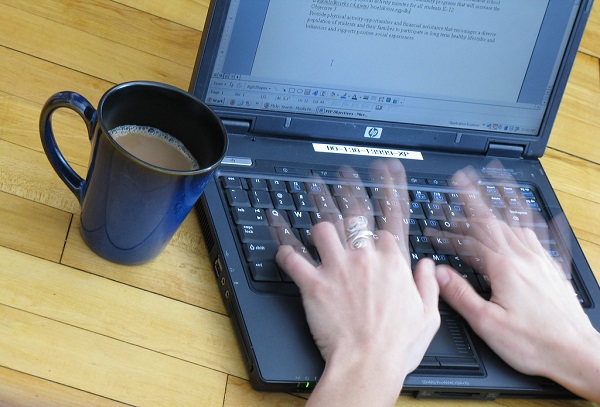
Keyboard skills influence how efficiently people communicate, study, and complete professional responsibilities. From entering information to preparing lengthy documents, typing ability affects everyday digital productivity. A structured assessment can help users understand their current performance and recognise areas that need improvement. Typing Test Fast Fingers provides an effective way to evaluate keyboard speed, accuracy, and consistency through practical exercises. Instead of guessing personal ability, learners can use measurable results to establish realistic goals. FastFingers supports individuals who want to understand their typing performance and develop stronger keyboard habits through regular assessment.
Understand the Purpose of a Typing Assessment
A typing assessment measures how quickly and accurately someone can reproduce displayed text. Most tests calculate words per minute and evaluate mistakes made during the exercise. These measurements provide useful information about existing keyboard abilities.
Typing Test Fast Fingers helps learners approach performance evaluation with a clear objective. Rather than focusing only on speed, users should consider accuracy and consistency. A balanced result indicates better control over keyboard movements and reduces the need for repeated corrections.
Typing Test Fast Fingers Measures More Than Speed
Typing speed receives considerable attention because it offers an easily understandable performance measurement. However, speed alone cannot explain the quality of someone’s typing ability. Accuracy, rhythm, and concentration also influence the final outcome.
With Typing Test Fast Fingers, learners can examine different aspects of their performance. Someone may achieve a high speed but make frequent spelling mistakes. Another person might type more slowly while maintaining excellent accuracy. Both results reveal useful information about individual strengths and weaknesses.
Prepare Properly Before Starting an Assessment
Preparation can influence the quality of a typing test. Before beginning, adjust your seating position and ensure the keyboard is placed comfortably. Keep your hands relaxed and position your fingers over the home row keys.
Typing Test Fast Fingers becomes more useful when users complete assessments without unnecessary distractions. Read the instructions carefully and understand the available time limit. Avoid rushing through the opening sentences because early mistakes can affect concentration throughout the exercise.
A comfortable environment also helps maintain attention. Choose a suitable time when you can complete the assessment without frequent interruptions.
Understand Words Per Minute and Accuracy Scores
Words per minute, commonly called WPM, represents the number of words typed within one minute. It provides a general indication of typing speed. Accuracy measures how correctly the displayed text has been reproduced.
Typing Test Fast Fingers allows learners to understand why both measurements matter. A higher WPM score may look impressive, but frequent errors can reduce overall efficiency. Therefore, users should aim for steady improvement while maintaining correct spelling and punctuation.
Comparing results from different sessions can reveal whether practice activities are producing positive changes. Consistent measurements provide a clearer picture than relying on individual attempts.
Build Better Results Through Targeted Exercises
Practice becomes more productive when learners concentrate on specific weaknesses. Someone struggling with punctuation should include sentence-based exercises, while users having difficulty with particular letters should repeat those combinations.
Typing Test Fast Fingers practice can support a routine containing several activities:
- Complete short passages to improve typing rhythm.
- Practise frequently used words for better recognition.
- Repeat difficult letter combinations to reduce mistakes.
- Include numbers and punctuation in regular exercises.
- Review incorrect entries after completing each test.
These activities help develop balanced keyboard skills. Moreover, changing exercise types prevents training from becoming unnecessarily repetitive.
Free Typing Games Add Variety to Keyboard Training
Interactive challenges offer an enjoyable alternative to conventional typing exercises. Free Typing Games allow learners to practise spelling, keyboard recognition, and response speed through entertaining activities. Some games involve entering displayed words before a countdown finishes, while others reward accurate typing and successful completion of different levels. These activities can encourage beginners to practise more regularly without treating every session like a formal examination. However, entertainment should support skill development rather than replace structured assessments. Combining games with focused exercises helps maintain interest while improving practical keyboard abilities.
Typing Test Fast Fingers for Students and Working Professionals
Typing assessments can benefit individuals across different age groups and occupations. Students frequently use keyboards for assignments, research documents, presentations, and online learning activities. Better typing ability helps them complete these responsibilities with greater convenience.
Typing Test Fast Fingers can also help professionals evaluate their everyday keyboard performance. Office employees often prepare reports, respond to emails, and enter information into digital systems. Writers and administrative workers may benefit from improved accuracy during lengthy typing sessions.
FastFingers offers a useful starting point for people interested in developing these practical abilities. Regular assessment helps learners understand their progress and maintain realistic improvement goals.
Mistakes That Can Affect Assessment Results
Several common habits can reduce typing performance during an assessment. Looking down at the keyboard repeatedly interrupts visual concentration. Using only a few fingers can also restrict movement and make longer passages difficult.
Typing Test Fast Fingers results become more meaningful when users avoid these habits. Maintain a relaxed posture, read the displayed text carefully, and use the correct fingers for different keys.
Another mistake involves attempting difficult speed targets too early. Beginners should develop accuracy before increasing their pace. Taking short breaks between assessments can also prevent tiredness from affecting concentration.
Create a Personal Performance Improvement Plan
A simple improvement plan makes typing development easier to manage. Begin by completing an initial assessment and recording your WPM and accuracy scores. Next, identify the areas where mistakes occur most frequently.
Typing Test Fast Fingers can become part of a weekly learning routine. Practise for ten to fifteen minutes daily, complete assessments regularly, and compare your results every week. Set achievable targets instead of expecting dramatic improvements immediately.
FastFingers encourages a gradual approach where learners can concentrate on their own development. This method helps maintain motivation while creating opportunities to strengthen weaker keyboard skills.
Conclusion
Measuring typing performance provides valuable information about keyboard speed, accuracy, and consistency. Typing Test Fast Fingers offers a practical approach for understanding current abilities and identifying opportunities for improvement. Through FastFingers, learners can combine regular assessments with targeted exercises to develop stronger typing habits. Focus on accurate finger movements, review mistakes, and establish realistic performance goals. Consistent practice can gradually improve keyboard confidence and make everyday digital activities more efficient.