

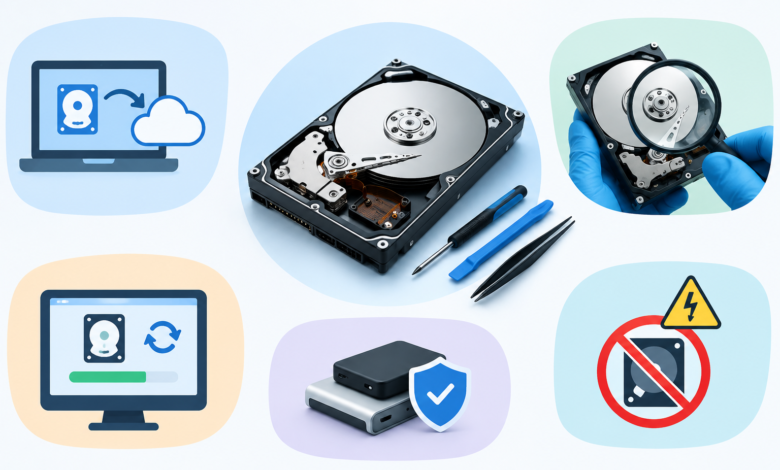
Good data recovery tips start before the screwdriver ever touches the device. The moment a technician assumes a drive is dead without checking it properly, valuable client data is often lost for good.
Every repair shop has that one client more worried about photos and files than the laptop itself. These data recovery tips exist for exactly that reason – protect the data first, fix the hardware second.
What Are the Most Important Data Recovery Tips for a Repair Technician?
Never power on a failing drive more than necessary, and always image it before attempting any fix.
A drive that is clicking, freezing, or throwing read errors gets worse with every extra power cycle. Repeated attempts to “just check if it boots” often push a recoverable drive into total failure.
A few habits separate careful technicians from careless ones:
- Clone the drive before running any repair software
- Label and store the original drive untouched until recovery is confirmed
- Keep client data on a separate recovery drive, never the working machine
Why Do Data Recovery Tips Matter Before You Even Open the Device?
Because most data loss happens after the initial fault, not because of it.
A failing drive often still holds recoverable data the moment it arrives at the shop. Opening the casing, running diagnostics carelessly, or reinstalling an operating system without checking first can wipe out what was still salvageable.
This is exactly where data recovery tips save a technician from an angry client. A five-minute check before touching anything can be the difference between a happy customer and a lost file forever.
Which Tools Should Every Technician Use to Make Data Recovery Tips Work in Practice?
A reliable disk imaging tool and at least one deep-scan recovery software make these data recovery tips work in practice.
Free recovery tools work fine for simple deleted-file cases. Physically damaged or corrupted drives need proper imaging software that reads sector by sector without stressing the drive further.
Tools worth keeping on hand:
- A bit-by-bit disk imaging tool
- Deep-scan recovery software for corrupted partitions
- A write-blocker for read-only access to damaged drives
What Data Recovery Tips Help a Technician Avoid Making Data Loss Worse?
Stop as soon as unusual sounds, repeated freezing, or file errors appear, instead of pushing further – these data recovery tips exist precisely for that moment of hesitation.
Many technicians make the mistake of running one more scan or one more format “just to see.” That single extra step often turns a recoverable drive into scrap.
Data recovery tips at this stage are simple but easy to forget under pressure:
- Never run CHKDSK or disk repair tools on a failing drive first
- Avoid formatting until an image copy exists
- Stop immediately if clicking or grinding sounds appear
What Data Recovery Tips Apply Specifically to MacBooks?
MacBooks need extra caution around encrypted drives and soldered storage chips, and standard data recovery tips do not always apply the same way.
Newer MacBooks use storage soldered directly to the logic board, which makes standard drive removal impossible. Recovery on these models depends heavily on whether FileVault encryption is active and whether the logic board itself is still functional.
For anyone offering MacBook repair in Wakad, this distinction matters daily. A client walking in with a dead logic board needs a very different recovery approach than someone with a simple software crash.
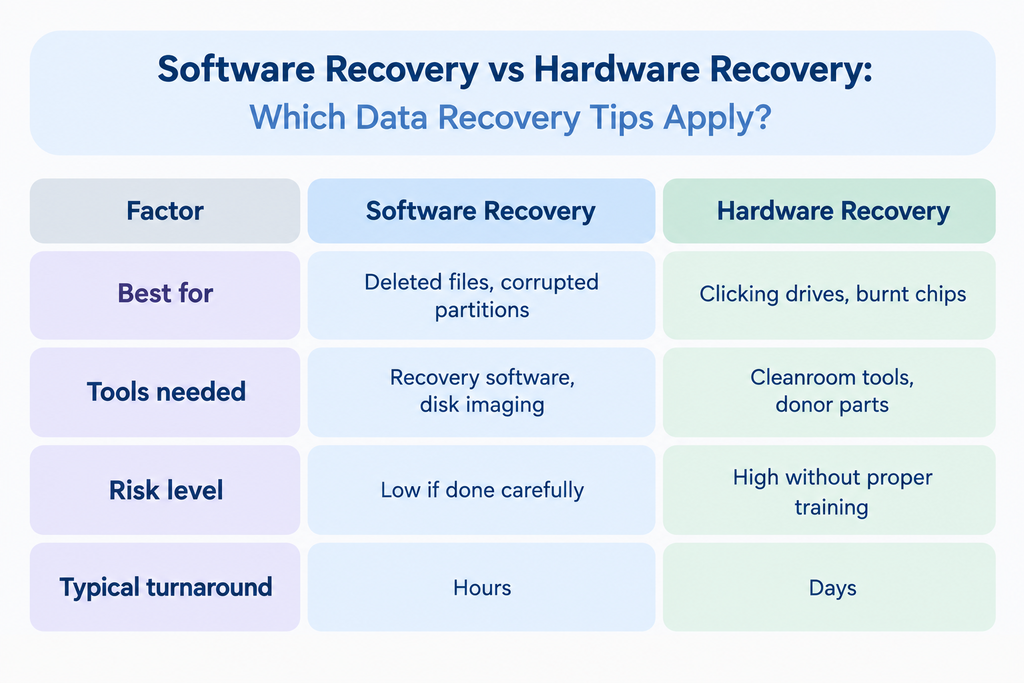
Software Recovery vs Hardware Recovery: Which Data Recovery Tips Apply?
Software recovery works for logical errors; hardware recovery is needed when the drive itself is physically damaged, and knowing which data recovery tips apply to each case saves hours of wasted effort.
| Factor | Software Recovery | Hardware Recovery |
| Best for | Deleted files, corrupted partitions | Clicking drives, burnt chips |
| Tools needed | Recovery software, disk imaging | Cleanroom tools, donor parts |
| Risk level | Low if done carefully | High without proper training |
| Typical turnaround | Hours | Days |
Most repair shops keep software recovery in-house. Hardware-level cases are a different story – those usually get passed on to specialists with proper cleanroom access, like the ones offering MacBook repair in Wakad.
When Do Data Recovery Tips Stop Working and a Referral Become Necessary?
The line is simple: once physical damage, liquid exposure, or encryption locks enter the picture, stop and refer. Basic data recovery tips were never built to handle that level of damage.
Trying to push through complex recovery without the right setup usually ends badly. Shops handling MacBook repair in Wakad see this pattern often – a client tries something at home first, and the laptop arrives with recovery already twice as hard as it needed to be.
Technicians who recognise their limits protect the client’s data and their own reputation. Services such as macbookrepairnearbyme.in in Wakad specialise in exactly these harder cases.
Frequently Asked Questions
What is the most important data recovery tip for beginners? Always image the drive before attempting any repair or recovery software.
Can a clicking hard drive still be recovered? Yes, but only through professional hardware recovery, not standard software tools.
Should I try recovery software on a MacBook with a dead logic board? No, software cannot help if the logic board itself has failed.
How do I know if I need MacBook repair in Wakad instead of DIY fixes? If the device shows physical damage or encryption locks, a proper MacBook repair in Wakad service is the safer route.
Is it safe to format a drive before recovering data? No, formatting before imaging the drive can permanently erase recoverable files.
Need professional help with data recovery or MacBook repair? Connect with us on WhatsApp for quick assistance and expert guidance.
For more useful tech content and guest posting opportunities, explore reliable guest post submission platforms.